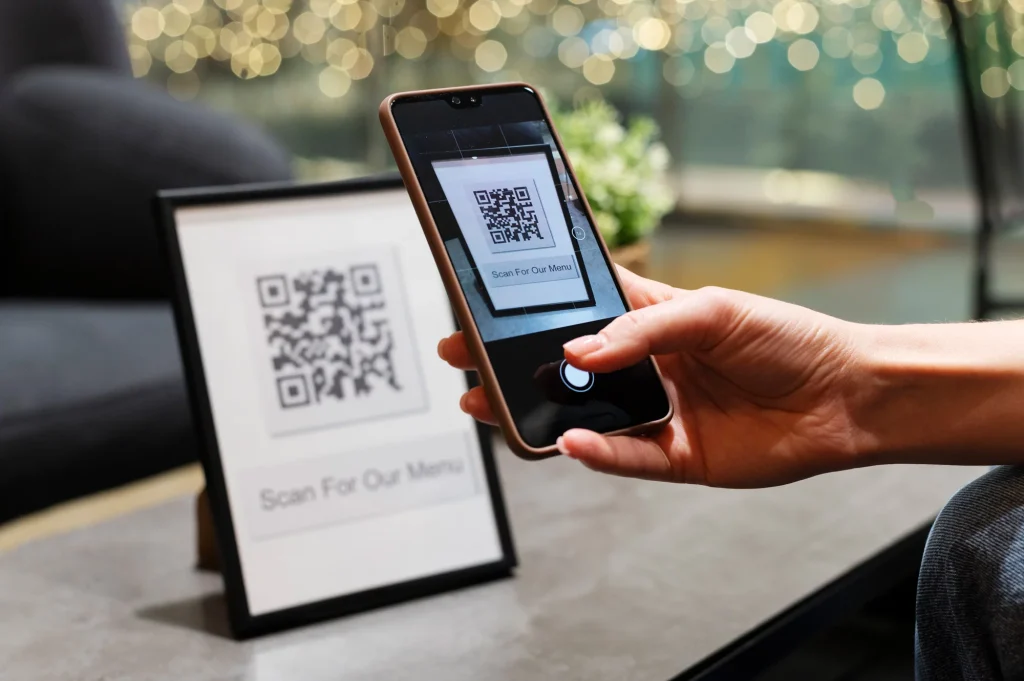
You just dropped serious money on a new gas grill, and the last thing on your mind is paperwork. But skip how to register a new gas grill warranty and you could be paying out of pocket for a $200 firebox replacement in year three. The good news?
Registration takes about four minutes.
Manufacturer specifications indicate that most brands require registration within 30 to 90 days of purchase, a timeline that hasn't changed as of 2026. Missing that window is the single most common reason warranty claims get denied. Even if you never file a claim, registration makes the entire ownership experience smoother.
Let's walk through the process, starting with the one question that governs everything else.

Image source: Bing (Web (fair-use with source credit))
Skip This Step and You Might Pay Full Price Later
Here's a scene that plays out in grill repair forums every summer. Someone fires up their three-year-old gas grill and notices uneven flames. The burners are rusted out.
They call the manufacturer, ready to order replacement parts, then learn the grill was never registered. The warranty claim gets denied. The bill: anywhere from $60 to $300, plus shipping.
Now replay that story with registration done on day one. Those same burners are covered. A replacement set arrives in about a week.
Total cost to the owner: zero.
That's the real difference registration makes. It's not a marketing gimmick. It's the difference between a covered defect and a costly repair.
Here's what registration actually does:
- Locks in your coverage start date based on the purchase date.
- Confirms you as the original owner, which most warranty terms require.
- Speeds up claim processing because the manufacturer already has your model and serial number on file.
- Ensures you get recall alerts if the Consumer Product Safety Commission flags a safety issue.
Consumer protection in this area falls under the Magnuson-Moss Warranty Act, enforced by the Federal Trade Commission. That law requires warrantors to make their terms clear so consumers know what's covered and what isn't.
The First Thing to Check: Does Your Grill Even Need Registration?
Not every gas grill requires manual registration. Some manufacturers activate the warranty automatically the moment the retailer scans the purchase at checkout. Others still expect you to fill out an online form or mail in a card.
The fastest way to find out is to check the owner's manual. Look for a section called "Warranty Registration" or "Activating Your Warranty." If the manual says coverage is automatic, you're essentially done. Keep your receipt, note the purchase date, and move on.
If the manual has already disappeared into the garage black hole, check the manufacturer's website. Most brands post their warranty terms and registration requirements online. Look for phrases like "warranty activation required" or "proof of purchase required for all claims."
One more possibility: some retailers, especially independent barbecue shops, register grills for you as part of the sale. Call the store where you bought it and ask. If they confirm registration, ask them to send a written confirmation or email.
The key point is this: don't assume anything. Some warranties start automatically. Others don't.
A 30-second check saves you a much bigger headache later.
Quick Start: The Minimal Warranty Registration Workflow
Here's the entire process in four steps:
Find the model and serial number. It's on a metal plate or sticker, usually on the left side of the cook box, the control panel, or the firebox.
Locate your purchase date. The date on the receipt or order confirmation is what counts, not the first day you cooked on it.
Go to the manufacturer's official registration page. The URL is usually in the owner's manual. Search results can pull up third-party lookalike sites, so double-check the domain.
Submit your details and save the confirmation. Keep the confirmation email, a screenshot, and the original receipt together.
Most registrations take under five minutes. As a rule of thumb, complete registration within the first week of ownership. You'll never have to wonder whether you're still inside the window.
The Right Way to Find Your Grill’s Serial Number (It’s Not Always Obvious)
The most common question in warranty registration discussions is, "Where is the serial number?" The answer depends on your grill's brand, but a few standard spots cover most models.
Check the left or right side of the cook box. The cook box is the large metal shell that holds the burners. On many gas grills, including popular Weber models, the serial number is on a metal plate on the left side of the cook box, just above the grease tray.
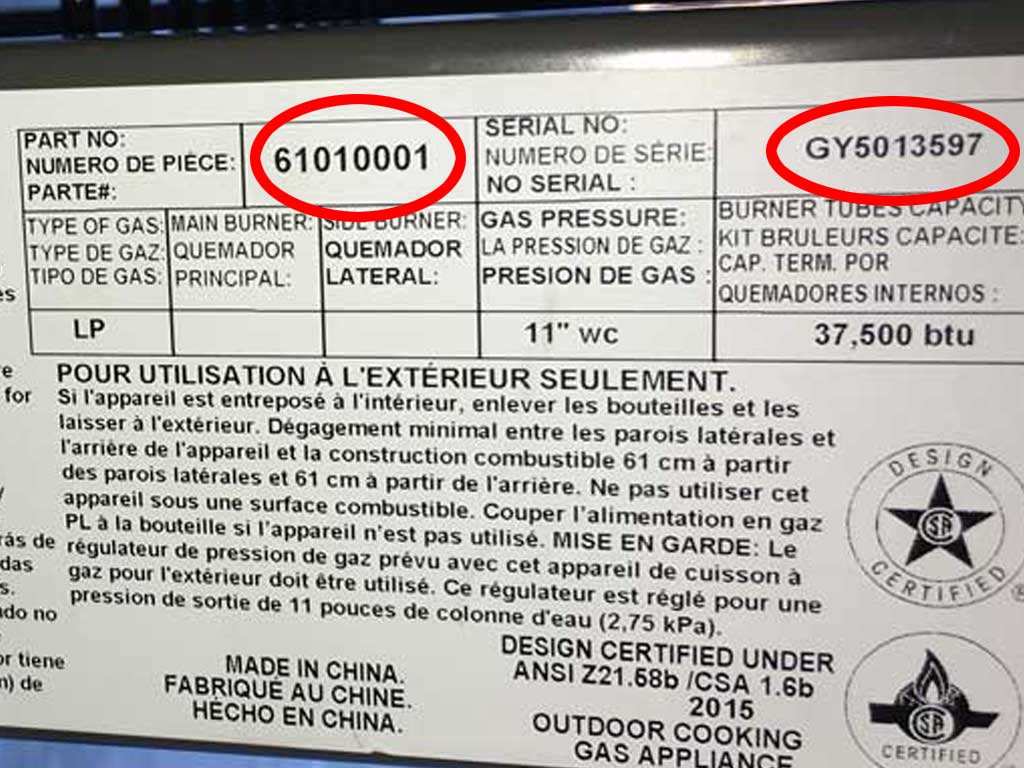
Image source: Bing (Web (fair-use with source credit))
Look at the control panel. If it's not on the cook box, check the back of the control panel, right where the knobs pass through. Many manufacturers place a weather-resistant sticker or metal plate there.
Try the underside of the firebox. Some brands stamp the serial number directly into the steel under the firebox, near the wheels or the burner assembly.
A few things to keep in mind:
- The serial number is typically 8 to 12 characters, a mix of letters and numbers.
- It can be stamped into the metal or printed on a sticker.
- If the label has worn off, call the manufacturer's support line. They can often trace the grill using other markings.
One important note: don't mix up the model number with the serial number. The model number identifies the product line, like "Genesis II E-310." The serial number is unique to your specific grill. Registration forms ask for both.
Decision Branch 1: How Did You Buy the Grill?
How you bought your grill changes how registration works. Let's break down each branch.
New from an authorized dealer.
This is the cleanest path. You have a receipt, the warranty is intact, and online registration takes minutes. Just make sure the dealer shows up on the manufacturer's authorized dealer list.
Buying from an unauthorized seller can void the warranty completely.
Big-box home improvement store.
Stores like Home Depot and Lowe's are generally authorized dealers. Many of them scan the warranty card at checkout, which auto-activates coverage for some brands. But don't assume that happened.
Check the owner's manual and confirm with the manufacturer if you're unsure.
Bought as a gift.
No receipt means no proof of purchase, and most warranties require it for claims. Ask the gift-giver for the receipt or a copy. Registration can often be done by you, but warranty claims typically list the original purchaser.
Keep a note of who bought it and when.
Open-box, floor model, or display unit.
This is the murkiest branch. The warranty may have already started when the store received the grill. The serial number label might be missing.
And the store might have registered it, or not. Call the store's department manager and ask about the manufacturer warranty status. Get their answer in writing.
| How you bought it | What to do | Biggest risk |
|---|---|---|
| Authorized dealer | Register online, keep the receipt | Losing the receipt |
| Big-box store | Verify whether auto-registration happened | Assuming it was done |
| Gift | Get a copy of the receipt from the giver | Missing purchase date |
| Open-box / floor model | Ask the store about warranty status | Warranty may have already started |
Decision Branch 2: Did You Get a Warranty Card or Owner’s Manual?
If the owner's manual includes a warranty registration card, you have two options. Mailing it in still works for some brands, but online registration is faster and gives you instant confirmation. If the card is missing, don't worry.
Nearly every major manufacturer now offers registration through their official website.
Lost the manual entirely? Download a PDF copy from the manufacturer's site. Search for "support" or "customer service" and look for the manual by model number.
You'll need that document anyway if you ever file a claim, since it spells out exactly what's covered.
One warning: some warranty cards ask you to mail them within 14 days. That's a short window compared to the online process. If you've had the grill for more than a few weeks, skip the card and register online instead.
Decision Branch 3: Are You Still Inside the Registration Window?
Registration windows vary by brand, but here's the general landscape:
- 30 days after purchase: common for premium grill lines
- 60 to 90 days: typical for mid-range models
- No deadline at all: a few brands let you register at any time, though they may limit the coverage start date
As of 2026, most manufacturer specifications indicate that registering within the first 30 days is the safest bet. That's not always a hard cutoff, but it's the threshold where coverage is most complete.
What if the window passes? Register anyway. Some brands accept late registration, especially if your grill has a longer warranty period.
Worst case, they tell you no, and you've lost nothing. Best case, you're covered.
Step-by-Step: Registering Your Gas Grill Warranty Online
The online form is standard across brands, even the field names are nearly identical. Here's the sequence you'll follow:
Open the manufacturer's official website. Type the URL from the manual directly, don't trust a search engine's sponsored links.
Find the warranty registration page. It's usually under "Support" or "Customer Service."
Enter your model and serial number. Double-check both against the label so there's no typo.
Provide the purchase date. Use the date from your receipt, not delivery day or first cook.
Select where you bought it. Some forms ask for the retailer name or store location.
Upload a clear photo of the receipt. This step is optional on many forms, but it speeds up future claims dramatically.
Submit, then screenshot the confirmation page. You'll also get a confirmation email, but don't rely on email alone.
That's the whole process. In our research, forms take between three and five minutes to complete, assuming you have the details handy.
What to Do If the Retailer Says They Already Registered It
Big-box stores often register grills automatically at the register. Independent dealers sometimes do it manually. The problem is that "they said so" doesn't hold up in a warranty dispute.
Ask for written proof. Request a confirmation number or an email from the manufacturer. If the store can't provide one, contact the manufacturer yourself and ask them to look up your grill by serial number.
Here's a helpful step: search your email inbox for the grill brand's name and the word "confirmation." If the store registered it for you, an automated message was likely sent.
If you find nothing, register online yourself. Even if the store did it once, a second registration doesn't hurt. The system will simply update your file.
Common Mistakes That Void Gas Grill Warranty Claims
Even the most thorough registration won't protect you if you make one of these errors.
Waiting too long to file a claim. Most manufacturers require claims while the grill is under warranty. If a part fails, don't sit on the problem. A claim filed two months after the warranty expires is usually denied, even if the part failed earlier.
Using the grill in a commercial setting. Standard warranties are for residential use only. If you're running a food truck or a small cafe, the warranty is void.
Ignoring the "normal wear and tear" clause. Rust on the cooking grates, fading paint, and cosmetic scratches are not covered. Those are part of normal grease-fire and weather exposure. Only structural failures count.
Letting the serial number become unreadable. If the label wears off, some manufacturers refuse to identify your grill for a claim. Record the serial number somewhere else, like in your phone or a notes app.
Buying from an unauthorized seller. Always check the manufacturer's authorized dealer list before purchasing. A fantastic deal from a random third-party marketplace can become an un-warrantable grill.
Decision Branch 2: Did You Get a Warranty Card or Owner’s Manual?
If your grill came with a physical warranty card or owner’s manual, you have two registration paths, but online is almost always faster. Mailing the card still works for some brands, but processing takes 4 to 6 weeks, and you get no proof of receipt. Online registration gives you an instant confirmation email you can save.
If the manual is lost, download a PDF from the manufacturer’s support page using your model number. You’ll need that document for future claims anyway, since it lists exact covered parts and exclusions. Some older cards require postmark within 14 days of purchase, a much tighter window than most online deadlines.
If you’re past that cutoff, skip the card and register online instead.
Decision Branch 3: Are You Still Inside the Registration Window?
Registration windows vary by brand, but most fall into three clear ranges. Premium lines from Weber, Lynx, and Coyote typically require registration within 30 days. Mid-range models from Char-Broil, Dyna-Glo, and Bull Outdoor Products usually give 60 to 90 days.
A small number of brands, including some Coleman models, have no deadline, though coverage may only start from your registration date, not the purchase date.
As of 2026, manufacturer specifications confirm that registering within the first 30 days avoids almost all coverage disputes. If you’re past the stated window, register anyway. Some brands approve late submissions for full coverage, others only offer partial coverage.
The worst outcome is a denial, which costs you nothing to try.
Step-by-Step: Registering Your Gas Grill Warranty Online
Online registration follows the same basic flow for every major brand, and it takes 3 to 5 minutes if you have your details ready. Start by going to the manufacturer’s official domain, not a sponsored search result. Look for the "Warranty Registration" link under Support or Customer Service.
Enter your full model and serial number exactly as they appear on the label. Double-check for typos, since a wrong number will bounce the form. Input your purchase date from the receipt, not the date you first used the grill.
Select your retailer from the dropdown if available, or enter the store name manually.
Upload a clear photo of your receipt if the form allows it. This cuts down on follow-up questions if you ever file a claim. Submit the form, then screenshot the confirmation page and save the auto-generated email.
Some brands, like Napoleon, require you to create an account first. Others, like Weber, let you register as a guest.
What to Do If the Retailer Says They Already Registered It
If the store claims they submitted registration for you, don’t take their word for it. Call the manufacturer’s customer support line, give them your serial number, and ask them to pull up your warranty status. They can confirm if registration is on file and send you a confirmation if it is.
Search your email for the brand name plus "warranty confirmation." If the retailer registered it, an automated message was almost certainly sent to the email used at checkout. If you can’t find proof, register online yourself. Duplicate registration won’t void your coverage, it will just update your contact info for future recall alerts.
Common Mistakes That Void Gas Grill Warranty Claims
Even a perfectly registered grill can have a claim denied if you make one of these common errors. Missing the registration window is the most frequent issue. Most brands require registration within 30 to 90 days of purchase.
Late registration may be accepted, but it’s not guaranteed.
Using the grill for commercial purposes voids all standard residential warranties. This includes food trucks, catering operations, and restaurant patios. Modifying the grill with aftermarket burners, igniters, or custom fuel lines will also void coverage.
Ignoring required maintenance, like annual cleaning or part inspections, can lead to a denied claim too. Always keep your original receipt, as every claim requires proof of purchase, even if you registered on time.
How to Store Proof of Purchase and Registration for the Long Term
Most people throw away receipts after the return window closes, then regret it years later when a burner fails. You don’t need a fancy filing system, just one consistent spot. Snap a photo of the original receipt and warranty confirmation email, then save both to a cloud folder labeled with your grill’s model number.
Print a physical copy too, and tuck it into the owner’s manual. If the manual is lost, keep the documents in a zip-top bag with the serial number written on the outside. That way, you don’t have to dig through drawers when you need them.
Gas Grill Warranty Fine Print: Parts, Labor, Rust, and Exclusions
Warranty terms vary by brand, but most follow the same general structure. Coverage almost always applies only to defects in materials or workmanship, not damage from misuse or neglect. Burner rust-through is covered under most 5-year or longer warranties, but surface rust on cooking grates is considered normal wear and tear.
Labor costs are rarely covered for out-of-warranty repairs, and shipping fees for replacement parts are often the owner’s responsibility. Lifetime warranties usually only apply to the firebox or cookbox, not the entire grill, and they’re almost always non-transferable to second owners. Read the fine print for terms like “rust-through coverage” and “stainless steel corrosion exclusion,” since these determine whether a failed part is paid for or not.
Brand-Specific Registration Notes Worth Checking
Most brands follow the standard process outlined earlier, but a few have unique rules you should know. Weber, for example, requires registration within 30 days of purchase to activate full 10-year coverage on select models, while late registration may limit coverage to 5 years. Napoleon offers a 90-day window, but requires you to create a brand account before submitting the form.
Bull Outdoor Products and other high-end custom brands often require registration through the authorized dealer who sold you the grill, not directly through the manufacturer. Always check your brand’s official support page for these quirks before submitting your form, so you don’t accidentally get less coverage than you paid for.
Gas Grill Warranty Registration FAQs
Do I have to register my grill to activate the warranty?
It depends on the brand and where you bought it. Some manufacturers activate coverage automatically through the retailer at checkout, while others require you to submit an online form or mail in a card. Check your owner’s manual first, or contact the manufacturer with your serial number to confirm whether registration is required for your specific model.
What if I lost my receipt but still have the serial number?
A receipt is almost always required for warranty claims, even if you’re registered. If you lost the paper copy, check your email for an order confirmation from the retailer, or request a duplicate receipt from the store where you bought the grill. Some manufacturers accept a bank or credit card statement showing the purchase as proof, but you’ll need to submit it with your claim.
Can I register a grill I bought used?
Only if the original owner transferred the warranty to you, and the brand allows transferable coverage. Most standard warranties are non-transferable and only apply to the original purchaser. If you’re buying a used grill, ask the seller for a copy of the original warranty confirmation and proof of transfer from the manufacturer.
What happens if I miss the registration deadline?
Register anyway. Some brands accept late registrations for full coverage, while others may limit your coverage start date to the day you registered, not the original purchase date. The worst outcome is a denial, which costs you nothing to attempt.
Does registering my grill sign me up for spam emails?
No. Reputable manufacturers only use your contact information for warranty-related alerts, including recall notifications and service updates. You can opt out of marketing emails during registration if you prefer, and your personal data is protected under FTC privacy rules.
Final Decision Guide: Your Next Move Right Now
Follow this quick flow to get your warranty sorted in minutes:
- If you still have the original receipt and are within 30 days of purchase: Register online right now via the manufacturer’s official site, then save the confirmation with your receipt.
- If you’re past 30 days but within 90 days: Register as soon as possible, and note the exact purchase date on your confirmation for future reference.
- If the retailer says they already registered it: Call the manufacturer with your serial number to confirm, and request written proof of registration.
- If you lost the receipt: Contact the retailer for a duplicate, or check your email for an order confirmation before submitting your claim.
- If you bought the grill used: Contact the manufacturer to check whether the warranty is transferable, and ask the seller for the original registration proof.